
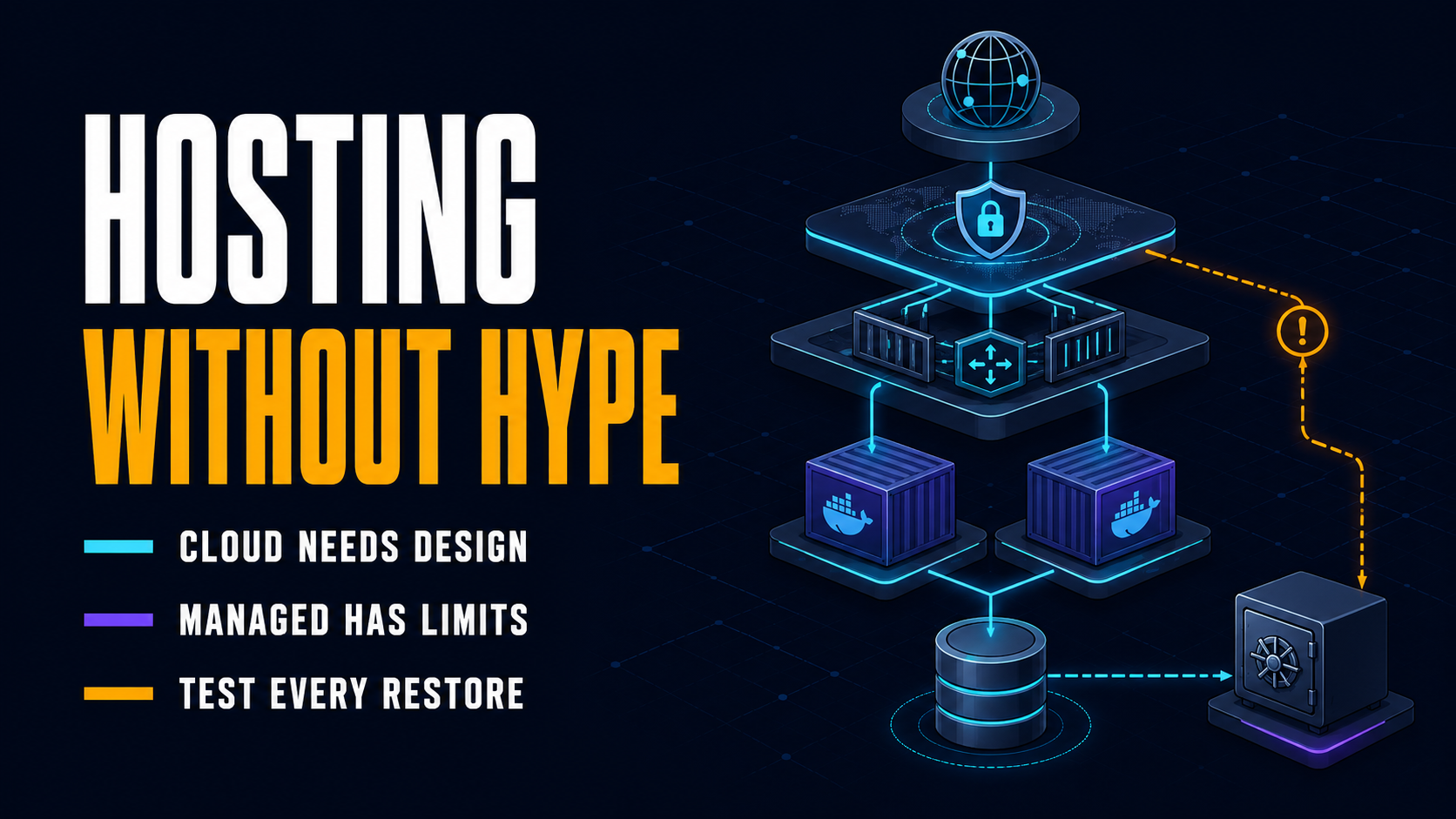
Web hosting terminology becomes confusing because providers often use the same word for different products. “Cloud” may mean one virtual machine, a redundant platform, or little more than a billing label. “Managed” can cover everything from automatic updates to a fully operated infrastructure stack.
The practical rule is simple: do not buy a hosting category. Buy the resources, responsibility model, reliability, and support your application actually needs.
This guide explains the terms behind domains, DNS, servers, cloud platforms, containers, security, performance, and availability. It also corrects several common misconceptions that can lead to paying for the wrong product.
How Does Web Hosting Work?
Web hosting provides the computing, storage, networking, and software required to make a website or web application available over the Internet.
When someone opens a page, a simplified sequence looks like this:
- The browser reads the URL.
- DNS resolves the domain name to an IP address or another network destination.
- The browser establishes a network connection, normally protected by TLS for HTTPS.
- It sends an HTTP request.
- A server, reverse proxy, CDN, or edge platform receives the request.
- The application may read data from a database or storage service.
- The server returns HTML, CSS, JavaScript, images, or data.
- The browser downloads, processes, and renders those resources.
MDN’s overview of how the web works describes the same client–DNS–server flow. Real production systems add caching, load balancing, multiple services, and security layers, but the basic request-response model remains.
Core Web Hosting Architecture Terms
1. Client
A client is software that requests a resource or service. A web browser is the most familiar client, but a mobile app, command-line tool, bot, or another server can also be a client.
“Client-side” code runs on the user’s device. In web development, that usually means HTML, CSS, and JavaScript executed by the browser.
2. Server
A server can mean either:
- a physical or virtual machine that provides resources; or
- software that listens for requests and returns responses.
This ambiguity matters. “The server is slow” could mean exhausted CPU on a virtual machine, a slow database query, an overloaded PHP process pool, or a badly configured web server.
3. Origin Server
The origin is the authoritative system where the original application or content lives. A CDN or reverse proxy may answer users before requests reach the origin.
For a simple WordPress site, the origin may be one VPS running Nginx, PHP, and MySQL. For a larger application, the origin may be a load-balanced group of application servers plus databases and storage.
4. Web Server
A web server receives HTTP requests and returns HTTP responses. Nginx, Apache HTTP Server, Caddy, and Microsoft IIS are common examples.
It can serve static files directly, terminate TLS, redirect URLs, compress responses, apply access rules, cache content, or forward dynamic requests to an application server.
5. Application Server or Runtime
An application server executes application logic. Depending on the stack, this may be PHP-FPM, Node.js, a Java application server, a Python WSGI/ASGI server, a .NET runtime, or another process.
The web server and application server can run on the same machine, but they perform different jobs.
6. Database
A database stores structured application data such as users, products, orders, content, and sessions. MySQL, PostgreSQL, MariaDB, and Microsoft SQL Server are relational databases; MongoDB is a common document database.
Database performance and reliability are often more important than the headline number of CPU cores in a hosting plan. Indexes, queries, connections, memory, replication, and backups all affect the result.
7. Static and Dynamic Content
Static content can usually be returned as stored: images, CSS, JavaScript, downloadable files, and prebuilt HTML.
Dynamic content is generated or personalized at request time, often using application code and a database. A product page may look static but contain dynamic stock, pricing, or account data.
Static content is easier to cache globally. Dynamic content requires more careful caching and application design.
Domain and DNS Terminology
8. Domain Name
A domain name is a human-readable identifier such as basein.dev. It does not contain the website, and it is not the hosting account. It is registered for a renewable period and connected to services through DNS.
The registrant—the person or organization registering the name—has a contract with a registrar. ICANN explains the roles and responsibilities of domain registrants.
9. TLD, SLD, and Subdomain
In blog.example.com:
.comis the top-level domain, or TLD;exampleis the second-level label commonly treated as the main domain;blogis a subdomain.
Subdomains can point to separate services or environments: app.example.com, api.example.com, or staging.example.com.
10. Registrar, Registry, and Registrant
These three roles are frequently confused:
- Registrant: the individual or organization that registers the domain.
- Registrar: the company through which the registrant manages the registration.
- Registry: the operator maintaining the authoritative database for a TLD.
ICANN’s domain registration process distinguishes registrars from registry operators.
Your registrar, DNS provider, and web host can be three different companies. Keeping them separate can improve portability, although it means managing more accounts securely.
11. DNS
The Domain Name System maps domain names to network destinations and publishes other service information. It is not limited to “domain to IP” translation.
DNS records can route a website, direct email, prove domain ownership, configure certificate authorities, or publish security policies.
12. Authoritative Name Server
An authoritative name server answers with the DNS records configured for a domain. Your registrar specifies which name servers are authoritative; the DNS provider stores and serves the zone.
Changing a record inside the wrong DNS dashboard has no effect. First verify which name servers are authoritative.
13. DNS Zone
A DNS zone is the administrative set of DNS records managed for a domain or part of its namespace. A zone file may contain A, AAAA, CNAME, MX, TXT, CAA, and other records.
14. A, AAAA, CNAME, MX, and TXT Records
| Record | Main purpose | Example use |
|---|---|---|
A | Maps a name to an IPv4 address | example.com → 192.0.2.10 |
AAAA | Maps a name to an IPv6 address | example.com → 2001:db8::10 |
CNAME | Makes one hostname an alias of another | www → example.hosting-platform.com |
MX | Identifies mail servers for a domain | Route email to a hosted mail service |
TXT | Publishes text-based data | Domain verification, SPF, DKIM, DMARC |
CAA | Restricts which certificate authorities may issue certificates | Permit a selected CA |
The correct record depends on the provider. Do not improvise by replacing a required CNAME with an IP address: the platform may change its underlying infrastructure.
15. TTL and “DNS Propagation”
Time to live, or TTL, tells DNS resolvers how long they may cache a record. When a record changes, some users can continue receiving the cached answer until its TTL expires.
“DNS propagation” is a convenient phrase, but there is no single copy operation moving the change across the Internet. The visible delay is mainly the result of distributed caches, TTL values, and sometimes provider-specific behavior.
16. RDAP and WHOIS
Registration lookup tools show information about a domain’s registrar, status, dates, and name servers. Public personal data may be redacted under privacy rules.
WHOIS remains a familiar label, but for generic top-level domains, RDAP became the definitive registration-data service on January 28, 2025. ICANN describes RDAP as the successor to WHOIS.
You can inspect a domain through the Basein domain and hosting checker or use the ICANN Lookup service. Remember: an IP lookup may reveal a CDN or proxy rather than the real origin host.
Network and Web Protocol Terms
17. IP Address
An IP address identifies a network interface for routing traffic. It is not literally a server’s physical address, and one server can have multiple addresses while many websites can share one address.
IPv4 addresses are 32-bit values usually written as four decimal numbers, such as 192.0.2.10. IPv6 addresses are 128-bit values written in hexadecimal, such as 2001:db8::10.
18. URL
A URL identifies a resource and how to access it. In:
httpsis the scheme;app.example.comis the hostname;443is the port;/reportsis the path;id=42is the query string;summaryis the fragment.
A domain is only one component of a URL.
19. HTTP and HTTPS
HTTP is the application protocol used to exchange web resources. A request contains a method, target, headers, and sometimes a body. A response contains a status code, headers, and usually content. MDN provides a practical overview of HTTP.
HTTPS is HTTP carried over a TLS-protected connection. It protects traffic in transit and authenticates the server’s hostname through a certificate. It does not prove that a business is trustworthy or make vulnerable application code secure.
20. HTTP Status Code
Status codes summarize the result of a request:
2xx: success, such as200 OK;3xx: redirection, such as301 Moved Permanently;4xx: client-side request problem, such as404 Not Found;5xx: server-side failure, such as502 Bad Gatewayor503 Service Unavailable.
The exact code helps locate the failing layer. A 502 often means a proxy could not get a valid response from an upstream application; it does not necessarily mean the physical host is offline.
21. Port
A port identifies a network service on an IP address. Common defaults include:
80for HTTP;443for HTTPS;22for SSH;25,465, or587for different email transport scenarios;3306for MySQL and5432for PostgreSQL.
Database ports should generally not be exposed to the public Internet unless there is a controlled reason and strong access protection.
22. TLS Certificate
TLS encrypts network traffic and helps the client verify the server. “SSL certificate” remains common marketing language, but modern HTTPS uses TLS; SSL protocols are obsolete.
A certificate authority, or CA, issues a certificate after validation. Let’s Encrypt is a nonprofit CA that provides free automated TLS certificates. The certificate must still be renewed, installed correctly, and served with a valid chain.
23. SSH and SFTP
SSH provides encrypted remote command-line access. SFTP transfers files over SSH. It is different from plain FTP and from FTPS, which protects FTP with TLS.
Prefer key-based SSH authentication, restrict access, remove unused accounts, and avoid treating a non-standard port as the main security control.
Types of Web Hosting
24. Shared Hosting
Shared hosting places many customer accounts on the same managed server environment. CPU, memory, disk performance, and process limits are shared or allocated according to provider policies.
Best for: small brochure sites, basic blogs, prototypes, and low-maintenance WordPress sites.
Advantages: low price, control panel, email and common software often included.
Trade-offs: limited configuration, noisy-neighbor risk, opaque resource limits, and less predictable scaling.
Shared hosting is beginner-friendly only when the provider supplies reliable backups, current software, responsive support, and transparent limits. Cheap is not the same as low-maintenance.
25. VPS Hosting
A virtual private server is a virtual machine with an allocated operating system environment and defined resources on a physical host. A hypervisor isolates multiple VMs.
A VPS gives more control than shared hosting, but control creates responsibility. On an unmanaged VPS, the customer may need to secure SSH, configure the firewall, patch the OS, manage the web stack, monitor capacity, and test backups.
The word “private” does not mean dedicated hardware. CPU can still be shared or oversubscribed unless the plan promises dedicated cores.
26. Dedicated Server
A dedicated server is a physical machine assigned to one customer. It provides predictable hardware access and can support specialized performance, compliance, licensing, or isolation requirements.
It is not automatically faster than modern cloud or managed platforms. Performance depends on the workload, hardware generation, storage, network, software configuration, and ability to scale.
Use it when: dedicated hardware solves a measured constraint.
Do not choose it merely because: the site receives “a lot of traffic.” Many high-traffic systems benefit more from caching, horizontal scaling, or managed databases.
27. Cloud Hosting
Cloud hosting delivers computing resources through an on-demand platform, commonly using virtual machines, managed databases, object storage, networking services, and APIs.
Cloud does not automatically mean high availability. A single VM in one zone can fail like any other server. Google Cloud’s availability guidance recommends distributing fault-tolerant applications across multiple zones and regions—which means redundancy must be designed and paid for.
Cloud advantages include programmable infrastructure, elastic capacity, managed services, geographic choice, and usage-based pricing. Its disadvantages include billing complexity, data-egress cost, vendor-specific services, and a larger security configuration surface.
28. Managed Hosting
Managed hosting describes an operational service level, not a physical hosting type. A managed product can run on shared hosting, a VPS, dedicated hardware, Kubernetes, or public cloud.
Ask what “managed” actually includes:
- operating-system and runtime updates;
- control panel and web-server configuration;
- security monitoring and incident response;
- backups and restore assistance;
- database operation;
- application or WordPress updates;
- performance tuning;
- migrations;
- response-time commitments and 24/7 support.
If the provider manages the OS but not the application, a compromised plugin remains your problem. Cloud security follows a shared responsibility model: AWS, for example, secures underlying infrastructure while customers remain responsible for their use of services, data, identities, and configurations. See the official AWS shared responsibility model.
29. Application Hosting and PaaS
Application hosting means a platform designed to deploy and run applications. It is not the same as Software as a Service.
- SaaS: the customer uses finished software.
- PaaS: the developer deploys an application onto a managed platform.
- IaaS: the customer receives lower-level computing, storage, and networking resources.
A PaaS can manage builds, runtimes, deployment, certificates, logging, and scaling so the team focuses on application code. The trade-off is less low-level control and greater platform dependence.
30. Serverless Hosting
Serverless does not mean no servers exist. It means the provider abstracts infrastructure provisioning and operation. Functions or services run on demand, often scale automatically, and may use request- or execution-based pricing.
AWS describes Lambda as a service for running code without provisioning or managing servers.
Serverless is useful for event-driven processing, APIs, scheduled jobs, lightweight automations, and irregular traffic. Constraints may include cold starts, execution limits, stateless design, observability complexity, and provider lock-in.
31. Colocation
Colocation means placing customer-owned hardware inside a third-party data center. The facility provides power, cooling, physical security, racks, and network connectivity. The customer or an operations partner manages the hardware and software.
Colocation can suit organizations with existing equipment, specialized hardware, predictable long-term capacity, or strict operational requirements. It is rarely the simplest option for a small web project.
32. WordPress Hosting
WordPress hosting is hosting packaged and optimized for WordPress. The label can describe anything from shared hosting with a one-click installer to a managed platform with caching, staging, automated updates, malware response, and specialist support.
Compare the actual service, not the label. Important details include PHP versions, worker limits, database performance, object caching, CDN integration, backup retention, staging, update policies, and restore support.
33. PHP Hosting
PHP hosting is an environment capable of executing PHP applications. WordPress, Drupal, Laravel, and many custom systems use PHP.
A .php extension in a URL is not required and is not a reliable technology detector. Modern routing commonly hides file extensions. Check response headers cautiously, inspect application evidence, or use authorized access to the code and server configuration.
34. Static Hosting and Jamstack
Static hosting serves prebuilt files without executing a traditional server-side application for every page view. A build process may generate HTML from content, while client-side JavaScript and APIs provide dynamic features.
This model can be fast, secure, and inexpensive for documentation, landing pages, portfolios, and content sites. It becomes more complex when an application needs authenticated, real-time, transactional, or highly personalized behavior.
35. Email Hosting
Email hosting operates mailboxes for a custom domain. Web and email hosting can come from one company, but keeping email on a dedicated service often reduces migration risk.
Email delivery also depends on DNS records and reputation. MX records route mail; SPF, DKIM, and DMARC help receiving systems evaluate authorization and authenticity.
Virtualization, Containers, and Deployment
36. Virtual Machine
A virtual machine emulates a complete machine and runs its own guest operating system and kernel. Multiple VMs can share one physical server through a hypervisor while remaining isolated environments.
Cloud compute instances and VPS products are commonly VMs, although providers may use other virtualization technologies.
37. Container
A container packages an application with the files and dependencies it needs while sharing the host kernel. Docker’s documentation describes a container as an isolated process rather than a complete guest operating system.
Containers improve portability and deployment consistency. They do not automatically make an application secure, scalable, persistent, or production-ready.
38. Container Image
An image is an immutable package used to create containers. It normally includes application code, runtime dependencies, and configuration defaults. A running container is an instance of an image.
Images should be versioned, scanned, kept small, and rebuilt when dependencies or base images require security updates.
39. Docker
Docker is a platform and toolset for building, distributing, and running containers. “Docker” and “container” are not perfect synonyms: containers are the general concept, while Docker is one implementation and ecosystem.
For a small application, Docker Compose may be enough to define several cooperating services. It does not replace backup, monitoring, secrets management, or deployment discipline.
40. Kubernetes
Kubernetes is an open-source system for deploying, scaling, and managing containerized applications. Its documentation lists capabilities such as service discovery, load balancing, rollouts, self-healing, and storage orchestration in the Kubernetes overview.
Kubernetes is valuable when orchestration solves real scale or operational problems. For one small application, it can create more infrastructure work than it removes.
41. CI/CD
Continuous integration automatically validates changes through builds, tests, and checks. Continuous delivery or deployment prepares or releases validated changes to an environment.
A mature pipeline may build a container image, run tests, scan dependencies, apply database migrations, deploy gradually, verify health, and roll back on failure.
Performance and Scaling Terms
42. CPU, vCPU, and CPU Time
CPU executes instructions. Hosting plans may advertise physical cores, virtual CPUs, shared CPU, dedicated CPU, or a time-based quota.
Two plans with “4 vCPU” are not necessarily equivalent. Processor generation, clock behavior, contention, limits, and workload architecture affect performance. Benchmark the actual application.
43. RAM
RAM holds active processes, caches, database pages, and temporary data. Too little memory can trigger swapping, process termination, or severe latency.
More RAM does not fix inefficient queries or memory leaks, but it can be critical for databases, PHP workers, build processes, and in-memory caches.
44. Storage: SSD, NVMe, Block, File, and Object
- SSD: solid-state storage; a broad hardware category.
- NVMe: a high-performance protocol commonly used by modern SSDs.
- Block storage: raw volumes attached to machines and formatted with a filesystem.
- File storage: shared hierarchical files accessible through a file protocol.
- Object storage: API-accessed objects in buckets, useful for media, archives, backups, and large unstructured datasets.
Storage capacity and storage performance are separate. IOPS, throughput, latency, durability, replication, and snapshot behavior can matter more than total gigabytes.
45. Bandwidth, Throughput, and Data Transfer
Bandwidth is the theoretical or contracted network capacity. Throughput is the actual rate achieved. Data transfer is the total amount sent or received during a billing period.
Providers may charge for outbound data, often called egress. “Unlimited bandwidth” usually remains subject to port speed, fair-use rules, or resource policies.
46. Cache
A cache stores reusable data closer to where it is needed or in a faster layer. Common caches include:
- browser cache;
- CDN or edge cache;
- reverse-proxy page cache;
- application object cache;
- database query or buffer cache.
Caching can dramatically reduce response time and origin load. It also introduces invalidation problems: serving old prices, permissions, or account data can be worse than a slow response.
47. CDN and Edge Network
A content delivery network is a geographically distributed group of servers that caches and delivers content closer to users. Cloudflare’s explanation of a CDN emphasizes reduced delivery distance for web assets.
A CDN is not automatically the website’s host. It may act as a reverse proxy in front of the origin, hide the origin IP, terminate TLS, filter attacks, and cache responses.
“Edge” broadly means infrastructure placed near users or network entry points. Edge functions can execute code there, but their runtime, storage, duration, and consistency constraints differ by platform.
48. Reverse Proxy and Load Balancer
A reverse proxy receives requests on behalf of upstream servers. It can terminate TLS, route traffic, apply security rules, cache responses, or hide internal services.
A load balancer distributes requests across multiple healthy backends. It can improve capacity and availability, but only if the application, sessions, database, and storage are designed for multiple instances. A reverse proxy can perform load balancing, as shown in Cloudflare’s reverse proxy overview.
49. Vertical and Horizontal Scaling
- Vertical scaling: give one machine more CPU, RAM, or faster storage.
- Horizontal scaling: add more application instances or machines.
- Autoscaling: adjust capacity automatically using rules or metrics.
Vertical scaling is simpler but reaches a ceiling and can require downtime. Horizontal scaling improves capacity and resilience only when the application can run safely across multiple instances.
50. TTFB and Core Web Vitals
Time to First Byte measures how long it takes before the first byte of the response arrives. It includes more than application execution: DNS, connection setup, TLS, redirects, network latency, proxy layers, and server work can all contribute.
TTFB is not itself a Core Web Vital, but a high TTFB can delay page rendering and make a good Largest Contentful Paint difficult. Google’s LCP guidance treats TTFB as an important diagnostic metric.
Hosting can influence performance, but upgrading a server will not fix oversized images, render-blocking resources, excessive JavaScript, or poor caching. See How to Improve Largest Contentful Paint in 2026 for the full diagnostic workflow.
Reliability, Security, and Operations Terms
51. Uptime, Availability, and SLA
Uptime is the proportion of time a service is operational. Availability is broader: a system can be running but unusable because of extreme latency, a failed database, broken DNS, or an application error.
An SLA is a contractual service-level agreement. Check:
- what service is measured;
- how downtime is calculated;
- what is excluded;
- whether maintenance counts;
- what remedy is offered;
- whether the remedy is a small service credit rather than compensation for business loss.
“99.9% uptime” still allows roughly 43 minutes of downtime in a 30-day month. Architecture and recovery matter more than a marketing percentage alone.
52. Region, Zone, and Data Center
A data center is a physical facility. A cloud region is a geographic area. A zone is an isolated deployment area inside a region, although exact implementation differs by provider.
Choose locations based on latency, legal requirements, service availability, resilience, and data-transfer cost. A European company should not assume that selecting an EU billing account automatically keeps all data and backups in the EU.
53. Redundancy, High Availability, and Failover
- Redundancy: duplicate components reduce reliance on one component.
- High availability: architecture and operations designed to keep the service usable through expected failures.
- Failover: switching traffic or workload to a standby or healthy component.
Duplicating web servers is not enough if they share one database, storage volume, zone, DNS provider, or deployment error. Identify failure domains rather than counting machines.
54. Backup, Snapshot, and Replication
A backup is a recoverable copy retained separately according to a policy. A snapshot captures the state of a disk, filesystem, or database at a point in time. Replication maintains another copy, often continuously or near-continuously.
Replication is not a substitute for backup: accidental deletion, corruption, or malicious changes can replicate too.
Ask five questions:
- What is backed up?
- How often?
- How long is it retained?
- Is it isolated from the production account or failure domain?
- When was a restore last tested?
An untested backup is an assumption.
55. RPO and RTO
- Recovery Point Objective (RPO): the maximum acceptable amount of data loss measured in time.
- Recovery Time Objective (RTO): the target time to restore service after disruption.
A daily backup may imply up to 24 hours of lost changes. That could be acceptable for a brochure site and disastrous for an order system.
56. Firewall, WAF, and DDoS Protection
A network firewall controls traffic using addresses, ports, protocols, and connection state. A Web Application Firewall, or WAF, inspects HTTP traffic and can block some malicious patterns.
DDoS protection absorbs or filters distributed traffic floods. These layers solve different problems. None replaces secure code, access control, patching, rate limits, or monitoring.
57. Monitoring, Logging, and Alerting
- Monitoring: measures system state and behavior through metrics and checks.
- Logging: records events and diagnostic context.
- Alerting: notifies people or automation when defined conditions require action.
Useful monitoring includes user-facing availability, latency, error rate, resource saturation, certificate expiry, backup results, queue depth, and application-specific business signals.
If alerts fire constantly and no one is responsible for responding, monitoring has not created reliability.
Which Hosting Type Should You Choose?
| Project | Sensible starting point | Why | Watch for |
| Small company or portfolio site | Reputable shared or managed static hosting | Low operational burden | Restore process, support, renewal price |
| Small WordPress site | Managed WordPress or quality shared hosting | Updates, caching, backups, specialist tooling | Worker limits, plugin policy, backup retention |
| Custom MVP or API | PaaS, managed container platform, or small managed VPS | Fast deployment with controlled complexity | Platform limits, database, logs, egress cost |
| Stable custom application needing OS control | VPS or cloud VM | Flexible stack and predictable baseline | Patching, monitoring, backup, security ownership |
| Event-driven automation | Serverless functions and managed services | Pay for executions, automatic infrastructure scaling | Limits, observability, cold starts, lock-in |
| Global content-heavy site | Static/origin hosting plus CDN | Edge caching and low origin load | Cache invalidation, dynamic content |
| High-traffic transactional system | Load-balanced application, managed database, cache, multi-zone design | Removes single-instance bottlenecks | Data consistency, cost, operational maturity |
| Specialized hardware or predictable heavy load | Dedicated server or colocation | Hardware control and steady capacity | Failover, replacement time, remote operations |
Start with the least complex platform that meets the real requirements. Complexity should be earned by traffic, reliability, compliance, or team needs—not copied from an enterprise architecture diagram.
How to Compare Hosting Plans Without Falling for Marketing
1. Define the Workload
Document the application stack, expected traffic pattern, database size, storage growth, background jobs, geographic audience, and compliance constraints.
2. Map Responsibility
Write down who handles:
- operating-system patches;
- runtime and database updates;
- application updates;
- firewall and access control;
- monitoring and incidents;
- backups and restore tests;
- migrations and scaling.
If nobody clearly owns a task, it will eventually become an incident.
3. Inspect Limits, Not Labels
Compare CPU allocation, memory, storage type and I/O limits, concurrent processes, database connections, bandwidth or egress, regions, backup retention, and support response.
“Unlimited websites” is irrelevant if a low CPU quota makes the first busy site throttle the entire account.
4. Calculate the Full Cost
Include:
- base infrastructure;
- managed database and storage;
- outbound data;
- backups and log retention;
- CDN and security services;
- licenses and control panels;
- monitoring;
- engineering or administration time;
- support tier;
- migration and exit cost.
A €10 unmanaged VPS can cost more than a €50 managed platform once routine operations and incidents are counted.
5. Test Before Migrating Everything
Deploy a representative workload. Measure response time under load, database behavior, build and deployment time, backup restoration, support quality, and failure recovery.
Do not benchmark only the home page from a location close to the data center.
Common Hosting Myths Corrected
“Cloud hosting cannot go down.”
False. Cloud supplies building blocks; availability depends on architecture, provider services, configuration, dependencies, and operations.
“A CDN replaces hosting.”
Usually false. A CDN normally caches or proxies content from an origin. Some edge platforms can host static assets and compute, but that is a specific product architecture.
“Managed hosting means everything is managed.”
False. The boundary varies by contract. Application security and business continuity may remain yours.
“Dedicated hosting is best for any high-traffic website.”
False. Caching, efficient code, databases, horizontal scaling, and managed services can matter more than physical exclusivity.
“More bandwidth makes the application faster.”
Not necessarily. Latency, server processing, storage, database queries, caching, asset size, and browser execution can dominate.
“SSL secures the website.”
Incomplete. TLS secures data in transit and authenticates the hostname. It does not patch vulnerabilities, stop compromised accounts, or validate the business model.
“Backups are included, so recovery is covered.”
Not until scope, retention, isolation, access, RPO, RTO, and actual restoration have been verified.
Frequently Asked Questions
What is the difference between a domain and hosting?
A domain is the renewable name users enter. Hosting supplies the systems serving the website or application. DNS connects the domain to the hosting and other services.
Is VPS hosting the same as cloud hosting?
Not exactly. A VPS describes an isolated virtual server. Cloud describes a broader service and delivery model. A cloud compute instance may function like a VPS, but cloud platforms also provide managed databases, object storage, APIs, autoscaling, and multi-region services.
What is the difference between hosting and a server?
A server is hardware or software that provides a service. Hosting is the broader commercial and operational service that makes server resources available and may include networking, support, backups, control panels, and management.
Does a small business need cloud hosting?
Not automatically. A managed shared, WordPress, static, or PaaS product may provide lower operational risk. Choose cloud when its flexibility, services, or scaling justify the added configuration and billing complexity.
Is WordPress hosting different from normal hosting?
Sometimes. Basic plans may simply preinstall WordPress. Strong managed WordPress platforms add caching, staging, specialist support, backups, security controls, and update workflows. Compare the included operations.
What matters most when choosing a host?
Fit with the application, clear responsibility, restore capability, measured performance, reliable support, security controls, predictable total cost, and a credible migration path.
Can one IP address host multiple websites?
Yes. Modern web servers, reverse proxies, and CDNs commonly serve many hostnames from one IP address. The HTTP hostname and TLS Server Name Indication allow the infrastructure to select the correct site and certificate.
What is the difference between backup and snapshot?
A snapshot is a point-in-time capture of a system or storage layer. It can be part of a backup strategy, but a durable backup normally also requires defined retention, separation, recovery procedures, and restoration tests.
Conclusion
Hosting terminology becomes useful only when it reveals architecture and responsibility.
A domain is not hosting. A VPS is not automatically managed. Cloud is not automatically resilient. A CDN is not necessarily the origin. TLS does not secure vulnerable code. Replication does not replace backup. Kubernetes does not make a small application mature.
For most projects, the right decision framework is:
workload → responsibility → failure tolerance → performance → total cost → exit path
Start with the simplest platform that meets those requirements. Add containers, orchestration, multi-region deployment, or specialized hardware only when a measured problem makes the additional complexity worthwhile.